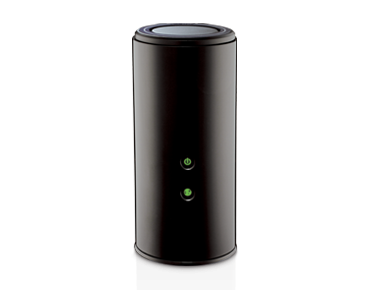
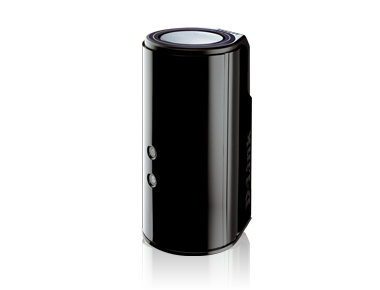
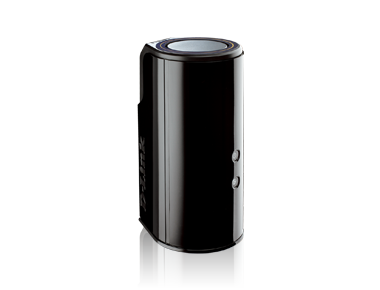

Wireless AC1750 Dual Band Gigabit Cloud Router USB 3.0
DIR-868L
- DD-WRT Beta Support8: Run the popular Open Source firmware to provide further flexibility over your network. Download Firmware here
- Facebook Wi-Fi Support: Lets your customers access free Wi-Fi simply by checking in to your business on Facebook. Download Firmware here
- Next Generation 11AC Wi-Fi: Up to 450 + 1300Mbps
- Simultaneous Dual Band: Delivers faster Wi-Fi speeds and less interference for maximum throughput
- AC SmartBeam: Provides stronger, clearer and faster Wi-Fi by locating and focusing bandwidth to your devices
- Your Personal Cloud: Access your content - anywhere, anytime, on almost any device - with mydlink SharePort
- Gigabit Ethernet: Delivers wired performance 10x faster than traditional Fast Ethernet
- USB 3.0: Up to 10x faster than USB 2.0
Click here to view latest available products
Why 11 AC?
Today's households are connecting more devices to the Internet than ever before - with more and more iPhones, Androids, tablets, and laptops laying around in any given home, it's important that each device gets the speed and coverage it deserves.
By upgrading your current network to Wireless AC, you can immediately enjoy the benefits of faster wireless speeds and increased home coverage - all with less wireless interference so you can enjoy doing what you love most. Delivering Wi-Fi AC1750 dual band speeds with AC SmartBeam technology to your home network, the DIR-868L is the perfect solution for those looking to enjoy online gaming, multiple HD video streams, and fast file transfers - all with less wireless interference for maximum throughput.
Performance
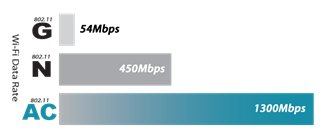
The fifth generation of Wi-Fi technology, 11AC delivers incredible speed and whole-home coverage — up to three times as fast as current "N" Wi-Fi.
 |
AC1750 Wi-Fi Speeds - Up to 450 + 1300Mbps |
 |
Simultaneous Dual Band - Delivers faster speeds with less Wi-Fi interference for maximum throughput |
 |
Quality of Service (QoS) - Automatic traffic prioritization delivers seamless performance for your applications |
Connectivity
Add industry-leading 11AC speed and coverage to your connected home, ensuring that all your devices get the seamless performance they deserve.
 |
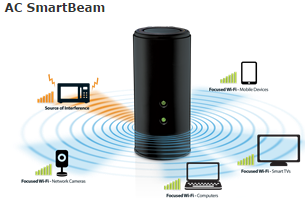
AC SmartBeam - SmartBeam recognizes your home's devices to focus Wi-Fi where you need it most while blocking out sources of wireless |
 |
Wired Performance - Gigabit Ethernet delivers wired performance that is 10x faster than traditional Fast Ethernet |
 |
Wi-Fi Range - Dramatically improve the wireless range in your home for true wall-to-wall, whole-home connectivity |
 |
Compatibility - 11AC is backward compatible with older Wi-Fi, ensuring that your current devices do not become obsolete |
Your Router + Your Drive = Your Cloud
mydlink SharePort
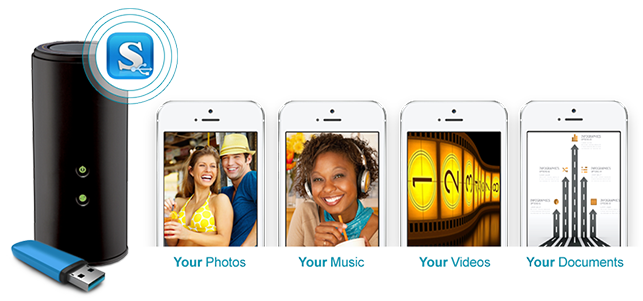
Watch it. Share it. Take it with you. Access all your content -- anywhere. anytime, on any device.
Ease of Use
Quickly and easily establish a fast, secure home network that will have you browsing, streaming, and watching in minutes.
 |
WPS Push Button - Connect to your secure, wireless network with a push of a button |
|
Universal Plug and Play (UPnP) - Automatically establishes working configurations with other UPnP devices like computers and printers |
App-Enabled
mydlink SharePort App
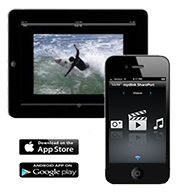
mydlink Services
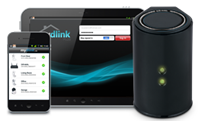
 |
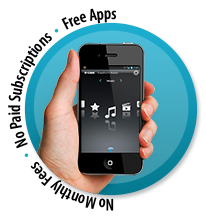
mydlink SharePort App - Stream and share your videos, music and photos to your Smartphone or Tablet at home or anywhere. Just download the free app and connect a USB storage device to your mydlink SharePort TM -enabled D-Link router. |
 |
mydlink Lite App - Quickly and easily manage your Cloud Router and view your live Cloud Camera feeds from anywhere with an Internet connection. |
 |
QRS (Quick Router Setup) Mobile App - Set up your home network from your Apple or Android device with the free QRS Mobile app. Avoid the setup hassles of "conventional" routers. |
*requires USB SharePort on router
Advanced Security
Get the wireless protection your home network needs with D-Link's assortment of advanced security features.
 |
Parental Controls - Grant, limit, and block access to certain websites and applications |
 |
Guest Network - Separate and secure network for guest users |
 |
IPv6 - Future proofs your network for the next-generation of Wi-Fi devices |
1 Maximum wireless signal rate derived from IEEE 802.11ac specifications. Network conditions and environmental factors, including volume of network traffic, building materials and construction, and network overhead, lower actual data throughput rate. Environmental factors may adversely affect wireless signal range. Up to 1300Mbps wireless speeds achieved when connecting to other 802.11ac devices. 2 Maximum transfer rate based on USB 3.0 specifications. Actual data throughput will vary. To meet USB3.0 transfer speeds, USB 3.0 hubs, cables and devices are required. 3 Computer must adhere to Microsoft’s recommended System Requirements. 4 Software included is not Mac-compatible. 5 Latest software and documentation are available at http://support.dlink.com.au 6 Zero Configuration requires a D-Link Cloud Router and a Zero Configuration-enabled device.724/7 Technical Support available only in Australia and New Zealand. 8 3 Year Limited Warranty. Register your product via www.dlink.com.au/reg. Available only in Australia and New Zealand. 8 Any software, firmware or other services provided by anyone other than D-Link expressly disclaim their warranty obligation pertaining to the product and therefore will void your product's Warranty.
All references to speed are for comparison purposes only. Product specifications, size and shape are subject to change without notice, and actual product appearance may differ from that depicted on the package. See inside package for warranty details.
©2015 D-Link Corporation/D-Link Systems, Inc. All rights reserved. D-Link, the D-Link logo, and the D-Link RoHS logo are registered trademarks of D-Link Corporation or its subsidiaries in the United States and/or other countries. Other trademarks or registered trademarks are the property of their respective owners.
HIGHLIGHTS
- DD-WRT Beta Support8: Run the popular Open Source firmware to provide further flexibility over your network. Download Firmware here
- Facebook Wi-Fi Support: Lets your customers access free Wi-Fi simply by checking in to your business on Facebook. Download Firmware here
- Next Generation 11AC Wi-Fi: Up to 450 + 1300Mbps
- Simultaneous Dual Band: Delivers faster Wi-Fi speeds and less interference for maximum throughput
- AC SmartBeam: Provides stronger, clearer and faster Wi-Fi by locating and focusing bandwidth to your devices
- Your Personal Cloud: Access your content - anywhere, anytime, on almost any device - with mydlink SharePort
- Gigabit Ethernet: Delivers wired performance 10x faster than traditional Fast Ethernet
- USB 3.0: Up to 10x faster than USB 2.0
- Compatibility: Works with existing and future Wi-Fi devices
| NBN/UFB Support : | FTTP / Satellite / Fixed Wireless / Cable only |
| Wireless Technology : | AC1750 (450+1300Mbps) |
| Wireless Bands : | Dual Band |
| WAN Interface : | Gigabit Ethernet |
| Ethernet Speed : | Gigabit Ethernet |
| LAN Port(s) : | 4 |
| USB Ports : | USB 3.0 |
| Guest Network : | Yes |
| Parental Controls : | Yes |
| Warranty : | 3-Year Limited Warranty |
| Dimensions (Size) : | 102.3 x 123.3 x 217 mm |
