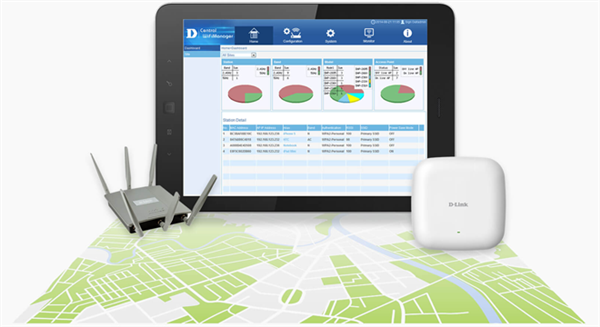
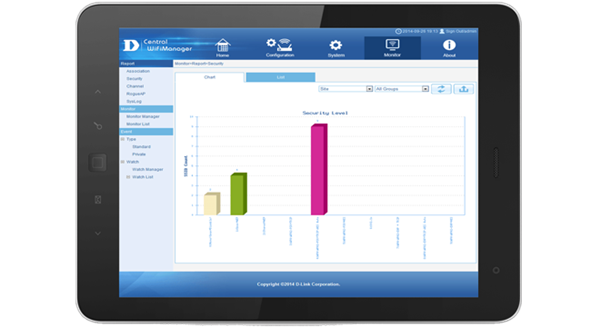

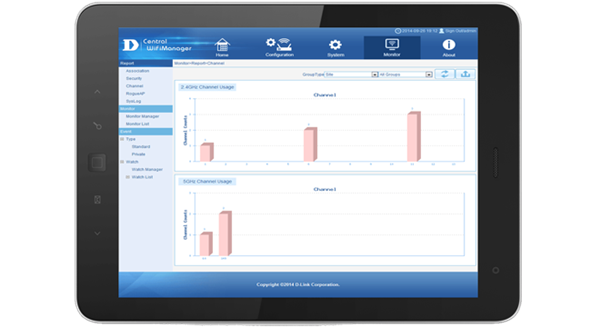
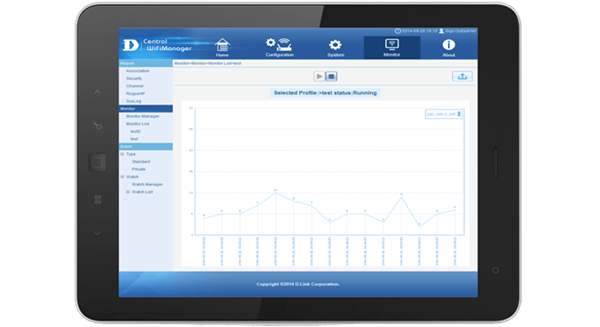

Central WiFiManager Software Controller
CWM-100
- D-Link® Central WiFiManager software controller helps network administrators streamline their wireless access point (AP) management workflow.
- Central WiFiManager is an innovative approach to the more traditional hardware-based multiple access point management system.
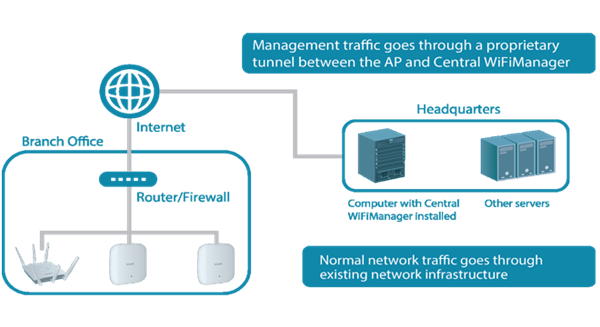
- It uses a centralized server to both remotely manage and monitor wireless APs on a network.
- Whether deployed on a local computer or hosted on a public cloud service, Central WiFiManager can be easily integrated into existing networks in conjunction with supporting D-Link wireless APs, to help eliminate existing bottlenecks for wireless traffic.

Click here to view latest available products
Meet the Central WiFiManager

Wireless Controller Software designed to provided comprehensive Access Point management for demanding business environment and multi-site installations.
Install, Administer and Manage
D-Link’s free Central WiFiManager is a web-based wireless Access Point management tool, enabling you to create and manage multi-site, multi-tenancy wireless networks. Whether deployed on local computer or hosted in the cloud, Central WiFiManager intergrates into any network or business.

Scalable, Flexible, Centralized AP Management
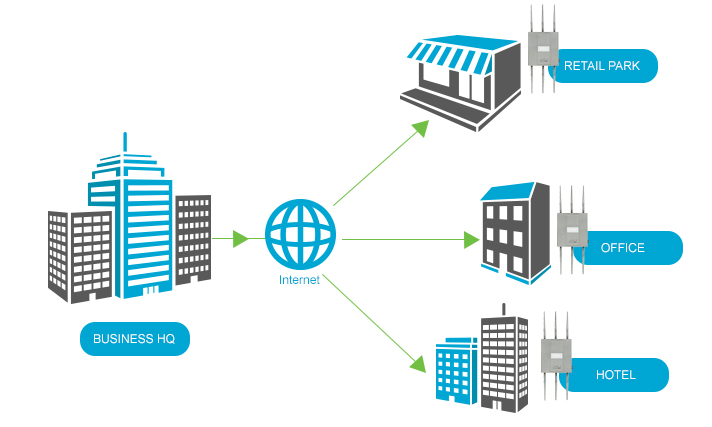
Manage up to 500 APs from a central location, regardless of geography.
Easy To Use
Configuration and management are easy using the simple and intuitive User Interface.
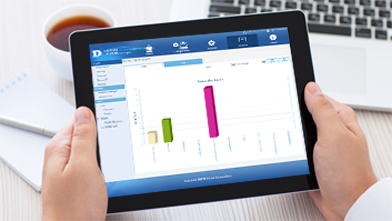
Built For Business
Central WifiManager is built with enterprise-level features such as bandwidth optimization, captive portal and Radio Frequency optimization to help satisfy the needs of any business.
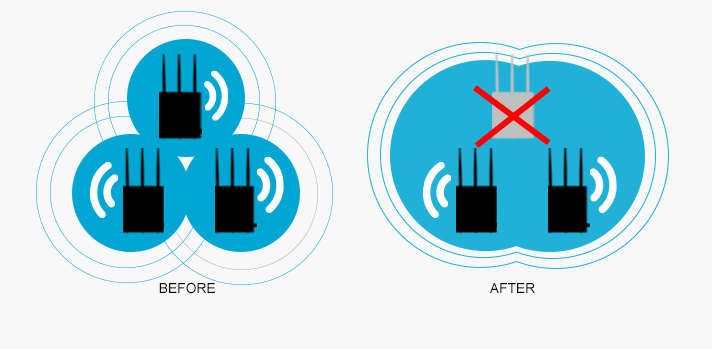
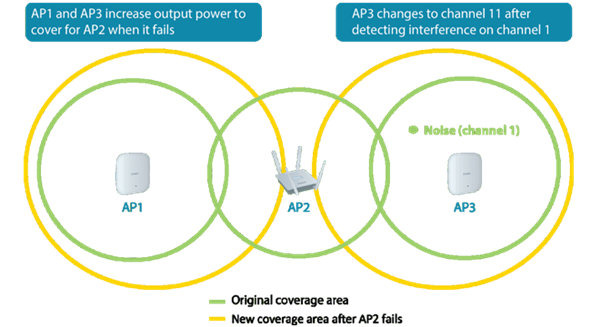
One key feature of Central WiFIManager is the ability for radios to self-heal and provide coverage if an AP ever goes offline.
Remote Access Made Easy
Using a web browser, manage your wireless network, anytime, anywhere using a PC, tablet or phone. Save time and effort by remotely upgrading device configuration and firmware.
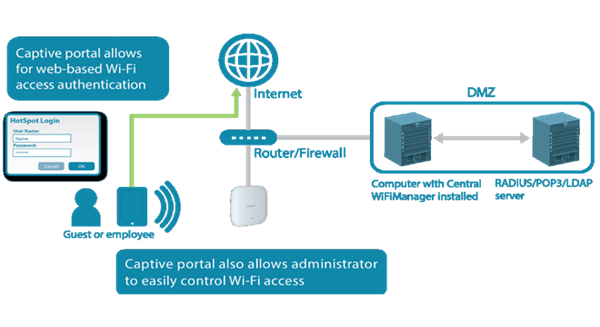
Hotspot and Guest Portal Login
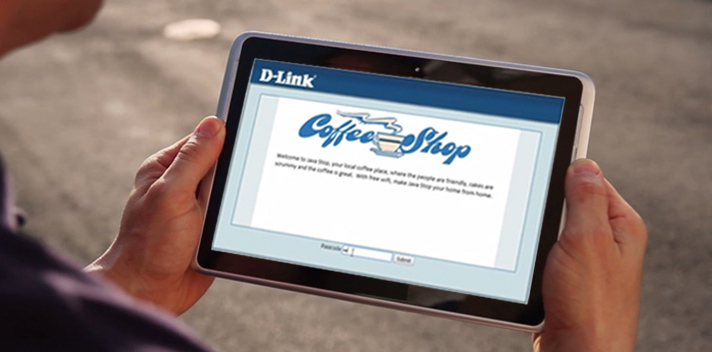
Track and control user access to your network including guests. A simple customizable Guest Portal provides authentication and Hotspot capabilities enabling Central WiFiManager to run as an external portal server. Create dedicated user accounts or wireless access voucher-codes to commercialize your wireless investment..
HIGHLIGHTS
Web-based management
- Software controller that can be installed on a Microsoft Windows computer and accessed through any device with a web browser such as a smartphone, tablet or computer
Multi-site management
- Multiple distributed sites can be managed from a central location
- The multi-tenant architecture provides multi-layer management authority
NAT pass-through
- Controllers can manage wireless access points in remote locations even if they are behind a NAT device (router or firewall)
Captive portal and access control
- Supports local DB, external RADIUS, LDAP, POP3 and Wi-Fi passcode authentication
- Supports user access control
- Customisable captive portal login page
Auto radio frequency (RF) management
- Supports automatic channel and output power optimisation
- Wireless radio on/off by scheduling
Bandwidth optimisation
- Optimises wireless bandwidth
Compatible with
- DAP-2230 - Wireless N PoE Access Point
- DAP-2310 - Wireless N Access Point
- DAP-2360 - Wireless N PoE Access Point (plenum-rated)
- DAP-2660 - Wireless AC1200 Simultaneous Dual-Band PoE Access Point
- DAP-2690 - Wireless N Simultaneous Dual-Band PoE Access Point
- DAP-2695 - Wireless AC1750 Simultaneous Dual-Band PoE Access Point
- DAP-3320 - Wireless PoE Outdoor Access Point
- DAP-3662 - Wireless AC1200 Simultaneous Dual-Band Outdoor PoE Access Point
WLAN Management
Maximum APs per Device (Controller)3
- 1000
WLAN Management Features
- AP grouping
- Multi-tenancy
- Visualised topology
- NAT pass-through
AP-Controller Connection Mode
- Bridge mode
User Authentication
Guest Portal
- Captive portal with customisable login page
Authentication Methods
- Local
- POP3
- RADIUS
- LDAP
- Voucher
Hotspot Features
- Built-in support for voucher-based authentication
- Built-in hotspot manager for voucher creation and guest management
- Rate limiting and bandwidth control for guest and hotspot portal
Wireless Features
RF Management and Control
- Auto Output Power Control
- Auto Channel
- Self-healing around failed APs
- Wireless radio on/off by scheduling
Multiple SSIDs per Radio(AP)
- 8
Advanced Wireless Features
- Band steering
- L2 roaming
- Bandwidth optimisation
WIDS System
- Rogue AP detection
System Management
Management Interface
- Web-based user interface
Online Check
- Firmware
- Module
Scheduling
- Firmware update
- Configuration update
| Management Options : | Software Managed |
| Management Software : | Central WiFiManager |
| Warranty : | Limited Lifetime |
