.png)
.png)
.png)
.png)
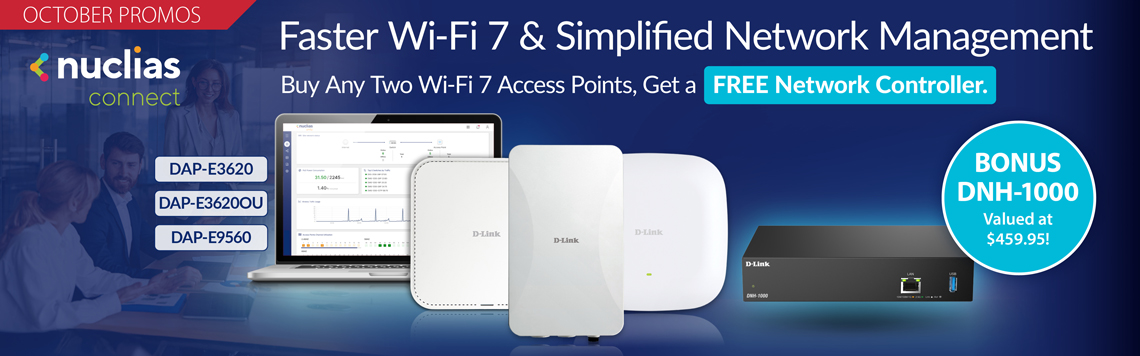
Nuclias Connect Controller with Nuclias Connect Software. Manages up to 500 devices.
DNH-1000
- Supports up to 500 total connected devices
- Centralised management for switches and APs
- 2.5GbE high-speed LAN ports connectivity
- Real-time system status monitoring and alerts
- USB 3.0 port for external backup storage
- Web-based management accessible remotely
- Online firmware upgrades for APs and switches
- Multi-tenant and role-based admin control
User Benefits

Centralised Device Management
Enables centralised device management, automated configurations, and simultaneous firmware updates for efficient network operations.

Role-Based Administraion
Allows network administrators to assign role-based access levels and permissions while enabling localised control for specific network segments.

Enhanced Security
Enables remote firmware upgrades, ensuring the latest features, security patches, and performance improvements without manual intervention.

Traffic Reporting and Analytics
Provides advanced traffic analytics, real-time insights, and customizable reports for optimised network performance.

Advanced VLAN Segmentation and Access Policies
Enhances network security and efficiency with VLAN access control, enabling administrators to segment networks, prioritize traffic, and enforce tailored policies.

Auto RF & Bandwidth Optimisation
Optimises wireless performance with Auto RF and Bandwidth Optimisation, ensuring optimal connectivity and minimal interference.

Multi-SSID and Captive Portal Authentication
Supports Multi-SSID and Captive Portal, allowing separate networks for user groups with secure, customizable login options for guests and employees.

Real-Time Monitoring and Alerts
Monitor real-time network status, generate reports, and receive instant alerts from a centralised dashboard.
Centralised Management for APs and Switches
The Nuclias Network Controller centrally manages up to 500 devices via a unified interface. It enables configuration of SSID, VLAN, RF, and firmware updates to reduce downtime and manual effort. With role-based access and compatibility with Nuclias APs and switches, it ensures secure, scalable, and efficient network operations.


Batch Configuration for Streamlined Network Management
Effortlessly apply settings, updates, and security policies across multiple APs and switches, reducing manual effort and ensuring consistency. Automate SSID, VLAN, RF optimisation, scheduling, and wireless resource allocation to optimise network performance, while streamlining IPv4 ACL, access policies, port settings, and SNTP configurations for enhanced security and reliability.
Auto RF for Stable Connectivity
Enhances wireless performance with Auto RF Management, which dynamically adjusts channel and power levels based on real-time interference and traffic conditions to reduce signal interference and maintain stable connectivity. Bandwidth Optimisation enables efficient allocation of bandwidth across devices to ensure optimal connectivity.

Real-Time Monitoring for Smarter Network Management
Get complete network visibility with real-time monitoring of APs and switches. Instantly view client counts, traffic, channel use, PoE status, and event logs. Monitor signal quality, client data, and switch activity — including IP, MAC, VLAN, port info, and PoE usage — with built-in tools for port control and VLAN settings. Traffic and performance reports reveal peak usage, top APs, PoE consumption, and error trends. Comprehensive logs and real-time alerts ensure security and system stability.

Deployment & Monitoring with the Nuclias Connect App
Effortlessly deploy and monitor your network with the Nuclias Connect app. Simplify device setup, track real-time performance—all from the convenience of your mobile device.

Diagram
With the DNH Nuclias Network Controller series, you can easily centralise the management of D-Link APs and switches, offering more convenient and graphical interface-based centralised monitoring.

Applications

Small and Medium Businesses

K12 School
Small and Medium Businesses
User benefits:
- Monitor up to 500 devices through one unified management interface
- Easy-to-use GUI with guided setup simplifies initial configuration
- QoS support ensures smooth voice, video, and data communication
- Works with 2.5G/10G/25G switches and Wi-Fi 6/7 for fast networking
- VLAN and access control boost security and optimise traffic flow
- Delivers high-speed, reliable Wi-Fi 6 Dual Band for dense device environments
Learn more:
- Smart Switch: DXS-1210-12SC
- Network Controller: DNH-1000
- Smart PoE Switch: DMS-1250-18P
- Smart Switch: DMS-1250-12
- Access Point: DAP-X3060

K12 School
User benefits:
- Simultaneously deploy firmware updates to multiple connected devices
- Support user authentication via RADIUS server, passcode, MAC, or click-through
- Enable 802.1X authentication with fine-grained ACL access control
- Role-based access ensures secure and efficient network administration
- Delivers high-speed, reliable Wi-Fi 6 Dual Band for classrooms
Learn more:
- Aggregation Switch: DXS-3410-32SY
- Network Controller: DNH-1000
- Aggregation Switch: DXS-3410-32XY
- Smart Switch: DMS-1250-28
- Smart PoE Switch: DMS-1250-28P
- Access Point: DAP-X3060

| Management Solution : | Nuclias Connect |
| LAN Interface : | 1 x 2.5Gb |
| Dimensions (Size) : | 190 x 120 x 38 mm |
| Warranty : | Limited Lifetime |
| Central Management : | Nuclias Connect Controller |
| Management Options : | Controller Managed |
Related Products:
.png)
.png)
.png)
3.png)
tn3.png)
